SystemsParty Preparation and Field Tools
Party Practice, combat reports, pinned crafting plans, item protection, and Skyfreight supplies.
ExpeditionsSkyfreight
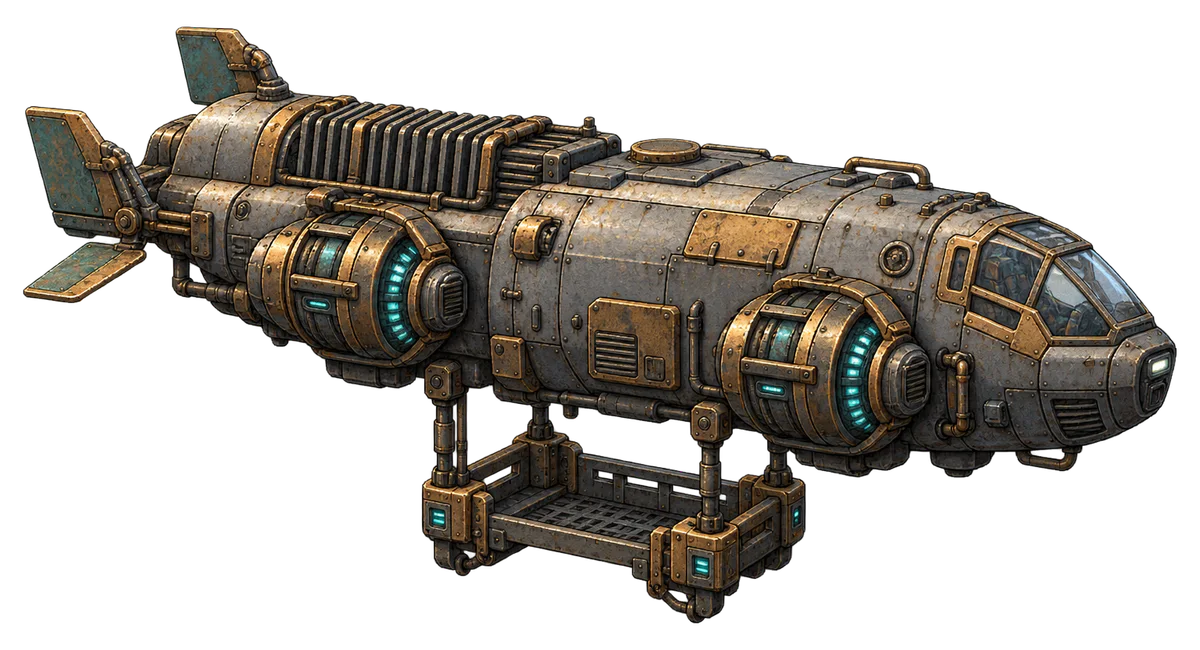
Airships drop breakable cargo during ordinary and Grand Expeditions. The crates contain local crafting materials, mainly cooking and alchemy ingredients.
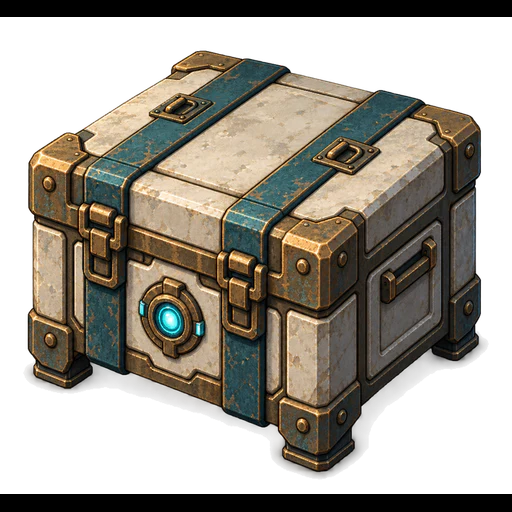 Small60% of deliveries4–6 material rolls
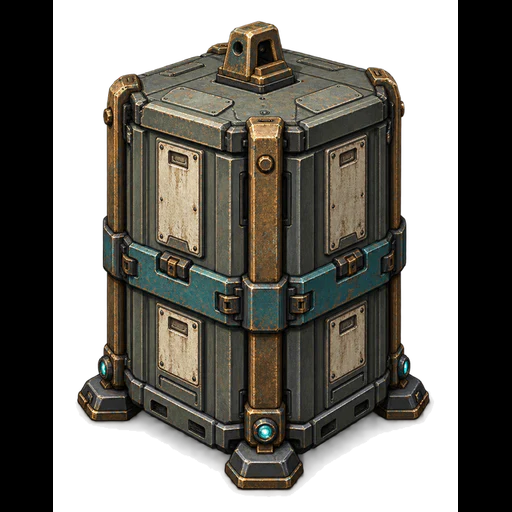 Medium30% of deliveries8–12 material rolls
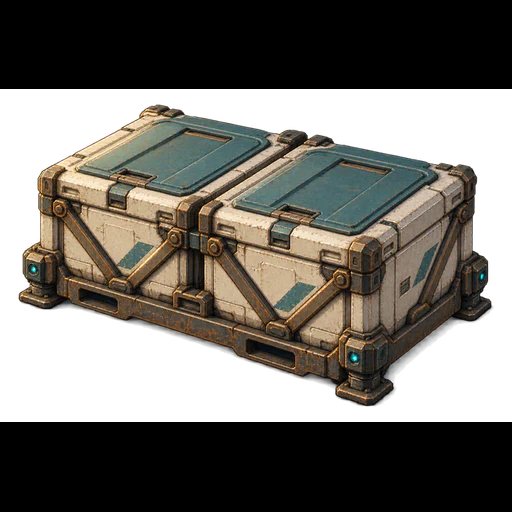 Large10% of deliveries14–20 material rolls
- Delivery checks are scheduled 10–20 minutes apart while an expedition is active. Town and offline time do not advance them. Unsafe landing conditions, a return or extraction, another delivery in flight, or 3 pending crates can delay a delivery.
- Skyfreight does not appear in Pinnacles, the Endless Tower, the Endless Dungeon, or Party Practice.
- Crates are opened with basic weapon attacks. They are not enemies or treasure chests: abilities, Relic powers, Artifact ultimates, kill rewards, leech, and chest blessings do not apply.
- 90% of cargo rolls select cooking or alchemy ingredients; 10% select other local materials. A roll is a selection, not necessarily a different item. Repeat selections are combined.
- Ordinary materials give 2–4 units per selected roll; materials whose best local gathering or hunting chance is below 100% give one. Selection weights use that best local chance. Expedition reward bonuses can increase the final quantities.
- Grand cargo draws from its own gathering and wildlife yields plus both source expeditions. It does not use the chest reward pool. Cargo cannot award access keys, passes, or Bounty Marks.
- Released materials use the normal ground-loot filters, pet collection, and expiry rules. Extraction still takes priority over gathering cargo.
View materials carried by SkyfreightCombatParty Practice
Test the current party in a separate practice copy from High Anchorage. Real campaign progress, inventory, supplies, and reports are unchanged when you leave.
- The main character must be assigned to the party. Practice is free and uses the party's equipment, abilities, formation, and normal combat AI.
- Choose a stationary target, an attacking pack of four enemies, a boss opponent using Greenveil's Damkeeper kit, or healing pressure with four attackers and reduced starting party health. The boss scenario is not a complete Pinnacle encounter.
- Choose the enemy level within your available portal range, a 30–300 second duration, target health from 1× to 100×, and a nonzero seed. Defense options are normal defenses, no armor or resistance, double armor, and +25% resistances.
- Restore Resources can refill health, Mana, Stamina, hunger, and thirst and reset combat cooldowns in the practice copy. Healing pressure then starts active party members at 45% health.
- Supplies and combat outcomes affect only the practice copy. They grant no campaign loot, XP, quest progress, or permanent deaths. The real campaign's clock stays paused.
- Reset starts from the captured entry state. Leave discards practice changes. Practice reports stay separate from the campaign's current and previous reports.
CombatCombat Reports
Inspect the current and previous run from High Anchorage or the paused expedition menu. Reports show each character's combat contribution and the run's supplies and loot.
- Overview, Abilities, Supplies & Loot, and Downings separate damage, healing, protection, incoming damage, and revival. Character and contribution filters help compare party members.
- Health damage, barrier damage, and overkill are separate values. Effective healing is separate from overhealing. Summon contributions are marked; regeneration is credited to its recipient rather than an invented caster.
- Downings retains the most recent 12 incidents with their preceding recorded events. Reports are bounded summaries, not a complete event log.
- Returning to Town and re-entering the same ordinary expedition keeps its report. Closing a world, extraction, a wipe, or a completed Pinnacle return finishes the run. Tower and Dungeon floor transitions continue the same run.
- Opening a report does not change the simulation or consume supplies. Closing a report opened from a paused expedition does not unpause it. A campaign loaded without earlier report history is marked as having partial data.
WorkshopPreparation and Pinned Plans
Review equipped supplies, load, storage space, ability requirements, and formation warnings before leaving Town. Pin planned Workshop and equipment work to see what is still needed.
- The checklist reads current food, drink, belt pockets, automatic-use settings, lockpicks, Shared Inventory, and Stash. It identifies missing equipment and abilities that the corresponding weapon set cannot support, including complete woven requirements.
- Keep up to 12 optional plans. Recipe plans retain the recipe, worker, quantity, signature choices, and output storage. Equipment plans follow the exact owned item and selected service, not another item with the same base.
- Plans support queued equipment construction, book copying, Alchemy, Cooking, and Refining, plus affix-tier upgrades, affix-value rerolls, base-tier upgrades, and inherent tempering. Immediate enchanting, Rune operations, and Ability Weaving are not new queueable plan types.
- Pinning does not reserve, spend, purchase, or craft anything. A plan is requoted against current workers, materials, upgrades, and service access before its normal action can proceed.
- Ingredients already held by a paid Workshop job are shown separately from available inventory and stash stock. They are not subtracted twice or counted as free ingredients.
TownTown Recovery and Supply Purchases
Returning to High Anchorage clears harmful conditions across the roster. Town supply merchants also support quantity purchases.
- A Town return removes harmful statuses, including lingering expedition diseases, from active characters and reserves. Manual Override's Stabilizing self-cost remains. Beneficial effects, food and potion buffs, cooldowns, and current resource deficits are not reset by this cleanse.
- The cleanse is not a heal or revival. Merely moving to another Tower or Dungeon floor is not a Town return.
- Choose a quantity when purchasing stocked consumables, food, drink, or cooking materials. The maximum accounts for available Aurel, stock, and storage space. Exact equipment and book offers still represent one specific item.
CombatTactical Ability Selection
Party AI evaluates usable abilities and their setup effects rather than following a fixed skill rotation. Weapon-set requirements still apply to the complete ability.
- Choices account for targets, current health, resources, action time, and useful follow-up effects. Slowing an enemy can improve a delayed-area attack's value; a setup is not automatically worthwhile when the target is likely to die first.
- Concealment and rear-strike sequences require a legal strike, appropriate equipment, enough resources for the sequence, and a reachable rear position. Adding Backstab to a woven ability does not remove its requirements.
- Safe support weaves can inherit applicable preparation behavior from their component abilities. Hostile, movement, persistent-summon, and Stamina-to-Mana payloads do not automatically qualify for that support preparation path.
- Use the Ability Monitor and Party Practice to inspect what the current loadout can use. A prepared ability is not guaranteed to be selected on every cooldown.
CombatCombat Readability Options
Gameplay options control Artifact screen accents and high-contrast danger outlines without changing combat rules.
- Artifact screen accents can be Full, Reduced, or Off. Reduced uses 35% of the normal accent opacity. World-space effects and danger warnings remain visible independently of this setting.
- High-contrast danger outlines are a separate option. Their purpose is to make warnings easier to see; they do not change damage, hit areas, or timing.
InventoryItem Locking
Use Lock or Unlock on an owned item to protect it from accidental sale, disposal, dismantling, or disenchanting.
- Locking applies to individual equipment-style items, including books, runes, pets, Relics, and Artifacts. Material, junk, food, drink, and potion stacks do not have item locks.
- A locked item can still be equipped, used, transferred, enchanted, rerolled, tempered, or upgraded. The lock protects disposal; it does not freeze the item's properties or stop normal book reading.
- Splitting a locked book stack preserves its lock. Locked and unlocked book stacks do not merge. Unlock an item before intentionally selling or dismantling it.